Enable App Store Server Notifications
App Store server notifications are crucial for maintaining the accuracy and integrity of your data. By setting them up, you can receive real-time updates directly from the App Store, ensuring you are informed of important events like refunds, subscription changes, and other actions affecting your app’s transactions and performance. This enables you to stay up-to-date with your app's status and take necessary actions promptly.
App Store Notifications
Here's how to enable them in a few steps:
-
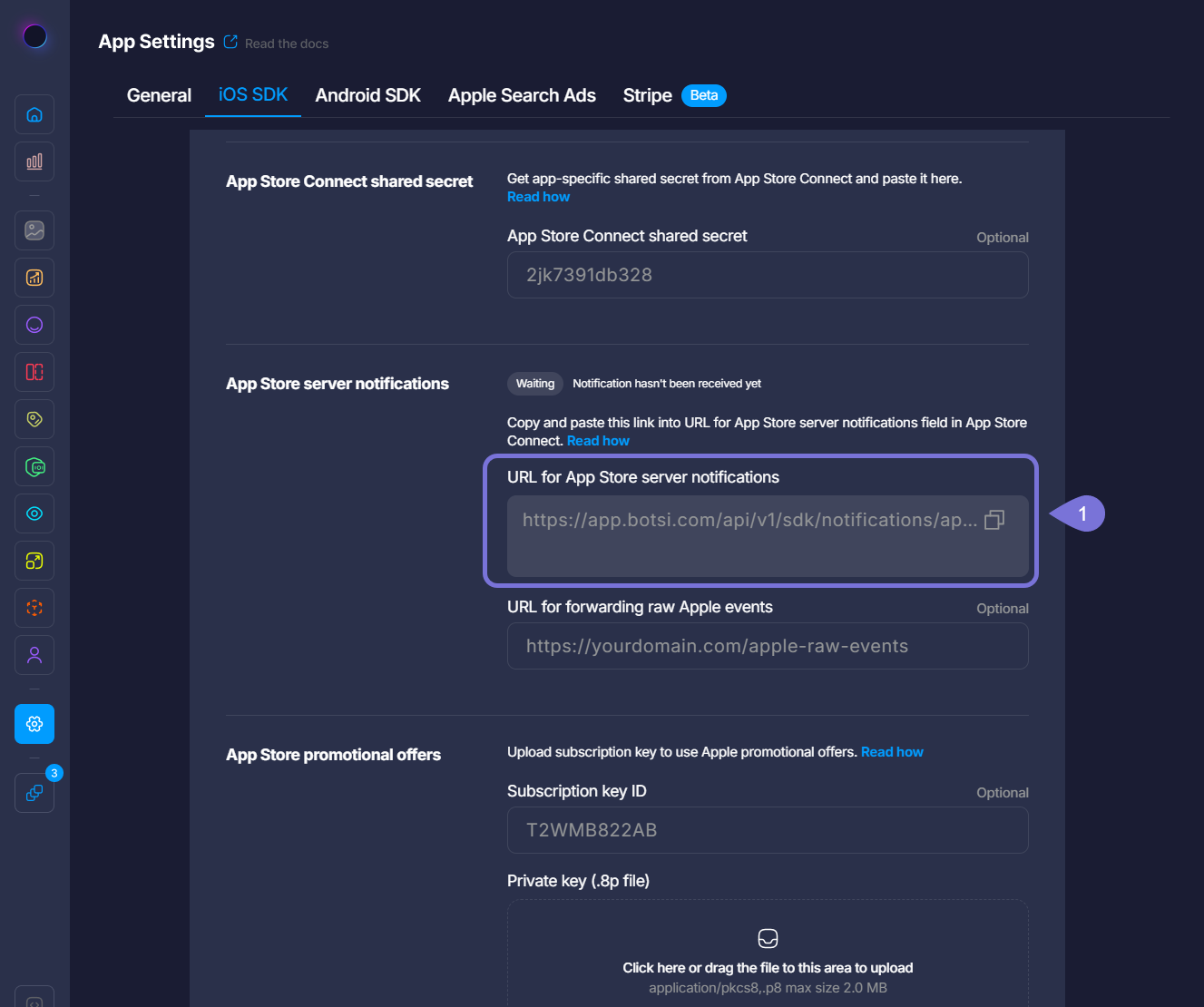
Within the App Settings for iOS SDK Dashboard, copy the provided URL for App Store server notifications.
-
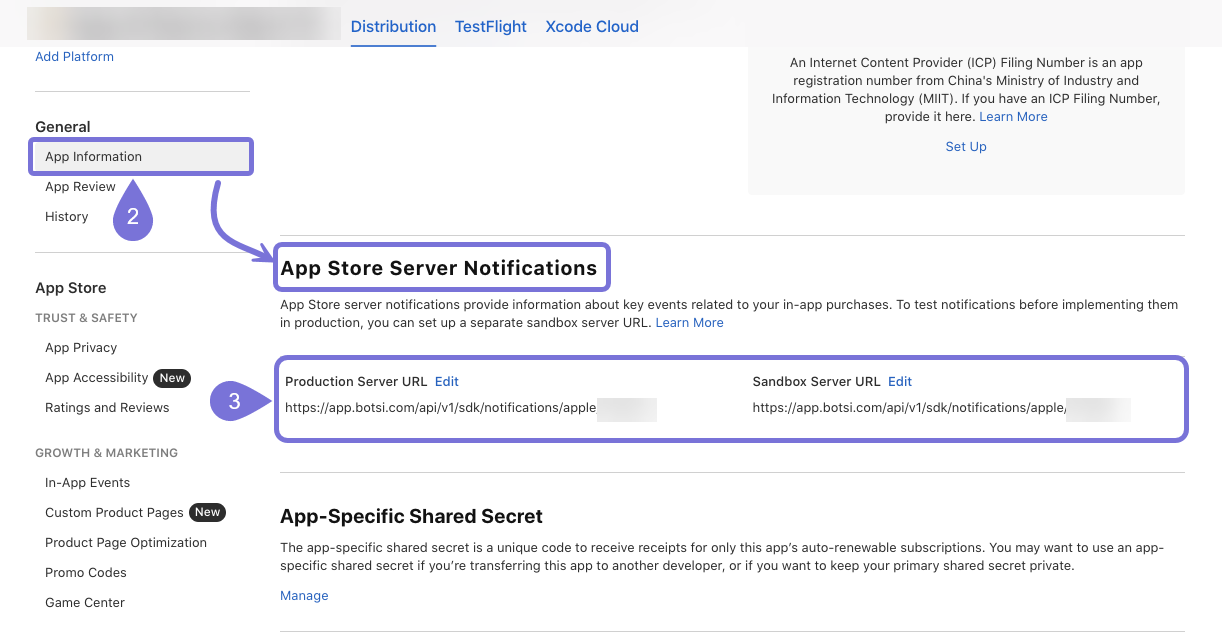
Go to your App Store Connect account, open your app, and go to General > App Information > App Store Server Notifications.
-
Paste the URL provided for App Store server notifications into the Production Server URL and Sandbox Server URL fields by clicking on Edit.
Forward Raw Events
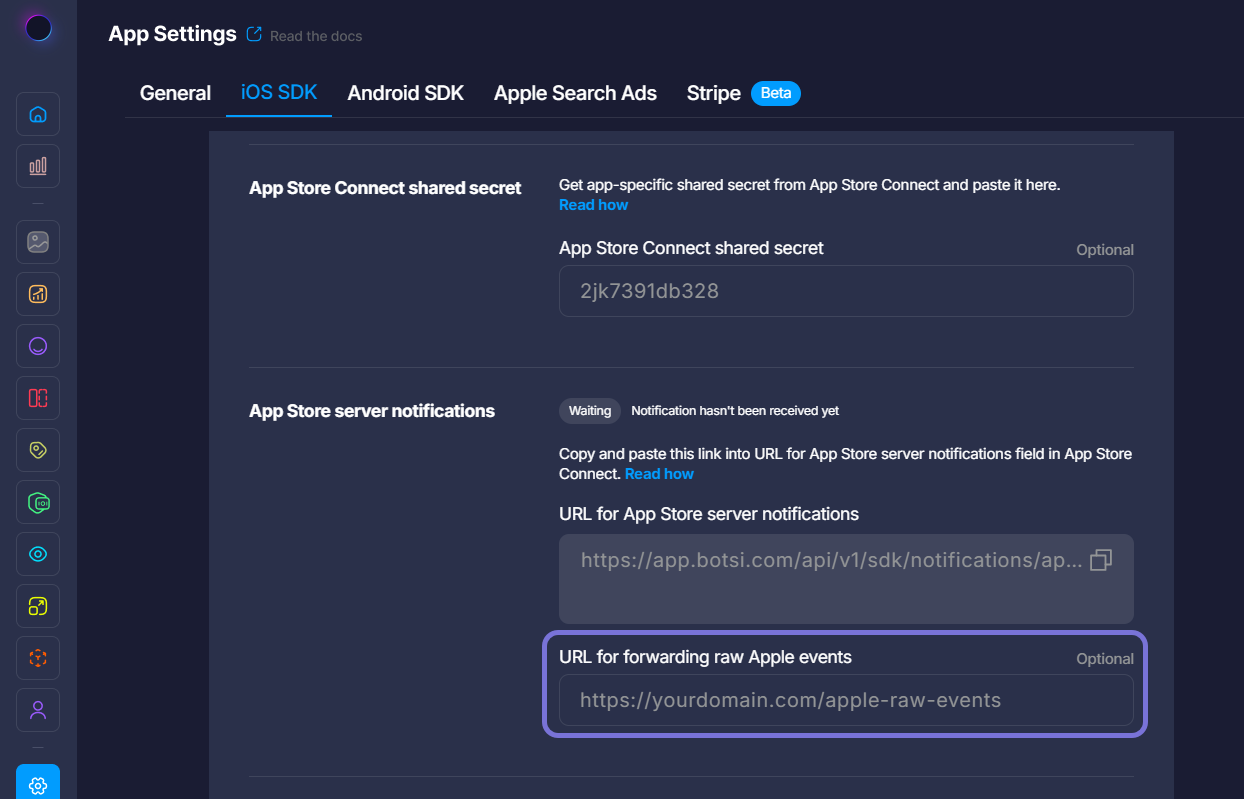
In case you want to continue receiving raw S2S events from Apple while using Botsi, you need to add your endpoint to the URL for forwarding raw Apple events field, and we will send you the raw events directly from Apple, without any changes or modifications.
Forward App Store Server Notifications from Another Platform
If you already have App Store Server Notifications enabled and routed through another platform, you can forward those events to Botsi instead of (or in addition to) sending them directly from Apple.
This setup is common when you’re using an intermediary platform for subscriptions or analytics but still want Botsi to receive the full App Store event stream.
Standard Setup (Most Common)
If your existing platform supports forwarding App Store Server Notifications via a webhook URL:
-
In Botsi, copy your App Store Server Notifications URL.
- Found in: Botsi Dashboard > App Settings > iOS SDK > App Store Server Notifications.
-
Open the platform you currently use to send server notifications (e.g. RevenueCat, Adapty, etc.) and navigate to iOS App Settings (or equivalent).
-
Locate the Apple Server to Server notification settings.
-
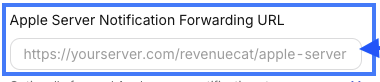
Paste the Botsi App Store Server Notifications URL into that field labeled "Apple Server Notification Forwarding URL." It will look something like this:
-
Save your changes. Once enabled, events will be forwarded to Botsi automatically as Apple sends them.
Custom Setup (Advanced / Custom Pipelines)
If you’re using a custom backend or middleware to process App Store Server Notifications:
-
Configure Apple App Store Server Notifications to send events to your system as usual.
-
When forwarding events to Botsi:
-
Forward the raw encrypted payload exactly as received from Apple.
-
Do not modify, decrypt, re-encrypt, or reshape the event.
-
Preserve:
-
The full request body.
-
Headers (where applicable).
-
Original JSON structure.
-
- POST the event directly to the Botsi App Store Server Notifications URL. This ensures Botsi can independently verify and decode the notification using Apple’s public keys.